Gym member tracking software: Memberships, packages, payments and retention
Members usually leave quietly: the package ends, nobody calls and the member does not come back. Member tracking software shows each member’s package, end date, payments and last visit in one profile and puts the members who need attention in front of you.
Updated: November 1, 2026 · 3 min readWhat is gym member tracking software?
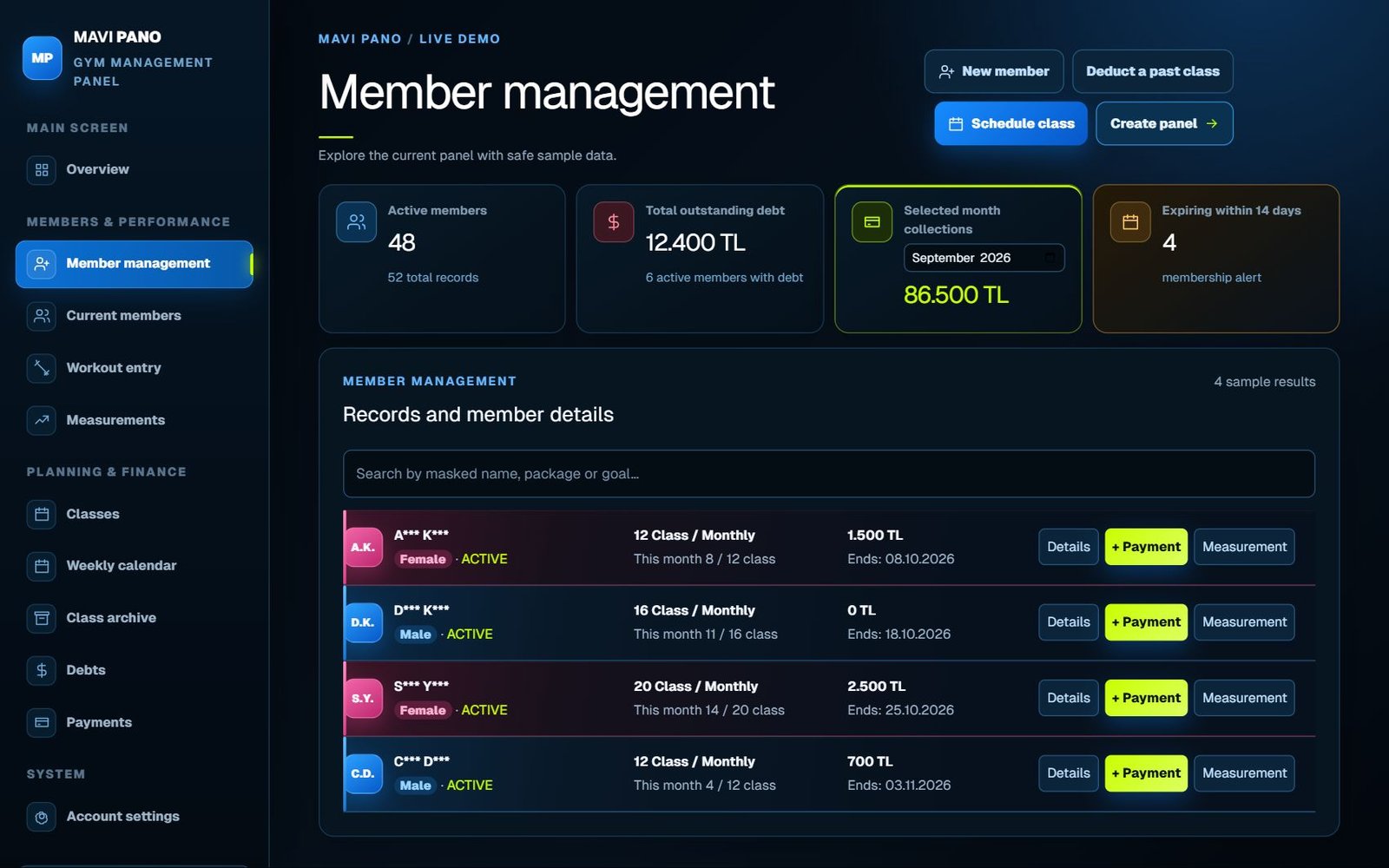
It keeps every member’s record, active package, membership period, payments and attendance in one place. Unlike a spreadsheet, these records are connected: a payment updates the balance, attendance deducts a session and an approaching end date puts the member on a reminder list.
MAVI PANO is web based, needs no installation and works on computers, tablets and phones.
What belongs in a member profile?
Keep only what the service needs, and limit access to sensitive notes.
- Name, phone and emergency contact
- Active package with start and end dates
- Sessions or visits left
- Payment history and open balance
- Attendance history and last visit
- Measurements and workout history
Members whose package is about to end
Renewal talks after the package has ended are too late. MAVI PANO shows members whose package ends within 14 days on the main screen, and the “Follow-ups” list adds members with two or fewer sessions left, each with a ready WhatsApp message.
Spot inactive members early
A member who has not visited for two weeks is unlikely to renew. Seeing the last visit date lets you reach out while the package is still active: change the schedule, move the time, or freeze the membership if there is an injury.
Payments linked to the member
Every payment is linked to the member and package; partial payments leave the remainder as an open balance. Total open balance and the selected month’s collections are on the main screen.
Daily and monthly routine
A short routine keeps member tracking useful.
- Daily: record attendance for today’s classes
- Daily: check members ending within 14 days
- Weekly: contact members inactive for two weeks
- Weekly: review open balances
- Monthly: compare active members and collections with last month
Moving from Excel
Import your existing list with “Import from Excel”. The file is read in your browser and never uploaded; duplicates are skipped automatically. You can export members, payments and expenses back to Excel at any time.
Clear, concise answers.
What does gym member tracking software do?
It keeps package, end date, sessions left, payments, attendance and progress in one profile and lists members who need attention.
Can I see members whose package is about to end?
Yes. Members ending within 14 days are shown on the main screen.
Can I import my existing spreadsheet?
Yes, from .xlsx or .csv; the file is not uploaded to the server.
Is there a free trial?
Yes. The live demo is open and new accounts get a 3-day free trial without a credit card.